
Stop Drowning in Paperwork. Reclaim Your Time with Gas Certificate App.
Professional gas certificates, simplified. Manage your jobs, clients, and paperwork all in one powerful app.
Free for 14 days. No credit card required.
Start Your Free Trial Now


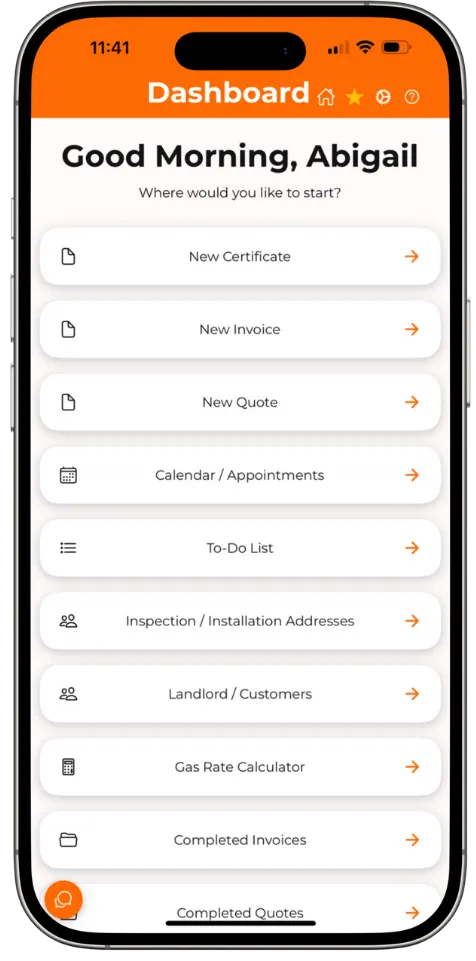
Go paperless, save time, and boost your business.
Save 12 Hours Per Week
Eliminate paperwork and streamline your workflow.
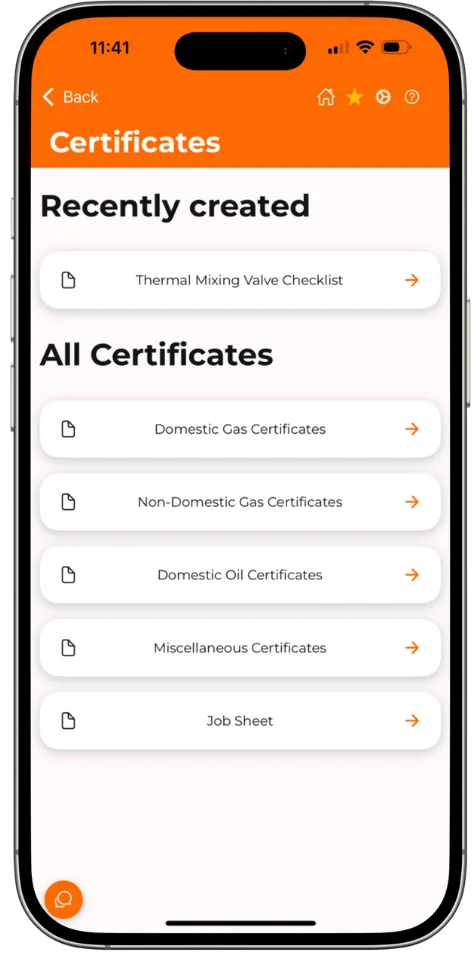
Reduce Errors
Automated calculations and built-in compliance checks.
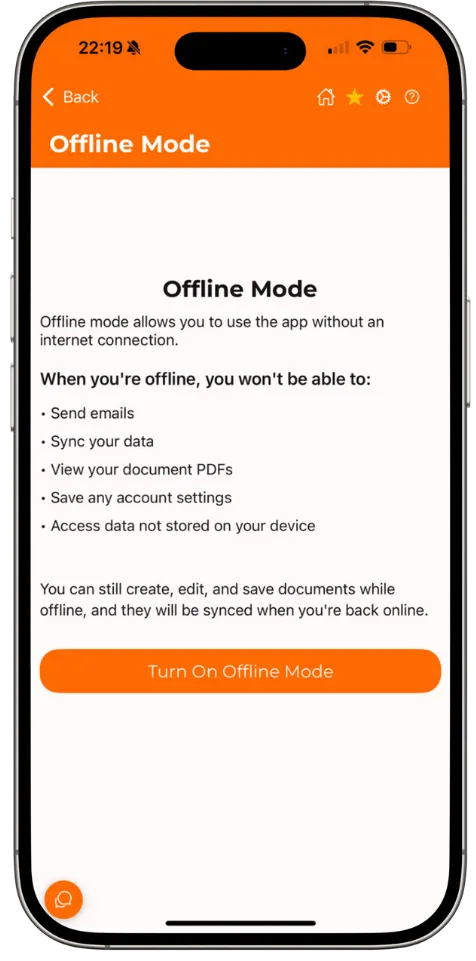
No Signal? No Problem.
Access everything from your mobile device, anytime, anywhere.
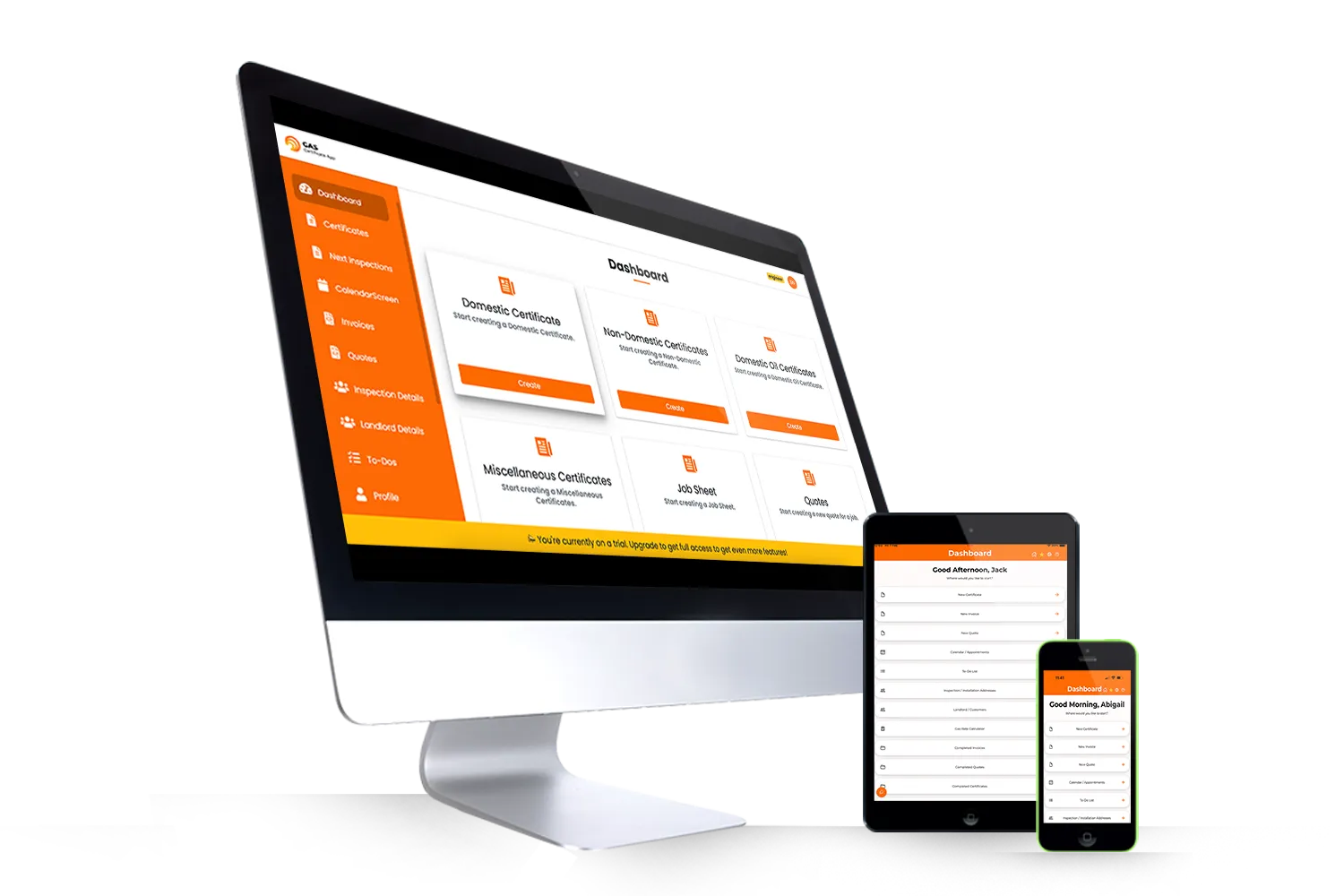
Everything You Need in One Gas Engineer Software.
Gas Certificate App offers a complete suite of features to manage every aspect of your gas engineering business. Explore how our intuitive tools can simplify your workflow, boost your productivity, and improve your bottom line.
- 28 Gas & Oil Certificates
- Scheduling & Job Management
- Automated Reminders
- Quoting & Invoicing
- TPI, Testo & Sauermann Integrations
- QuickBooks & Xero Integrations

Trusted By Cardiff Council
Discover how Cardiff Council streamlined their certificate management with the Gas Certificate App.
Gas Certificate App Reviews
What Our Users Have To Say

Gas Certificate App makes my life easier—it saves me time by automatically sending reminders to landlords and integrates seamlessly with TPI, so I can connect my analyser and let the app do the rest. It’s a no-brainer!
Dan Goulding - Central Heat king
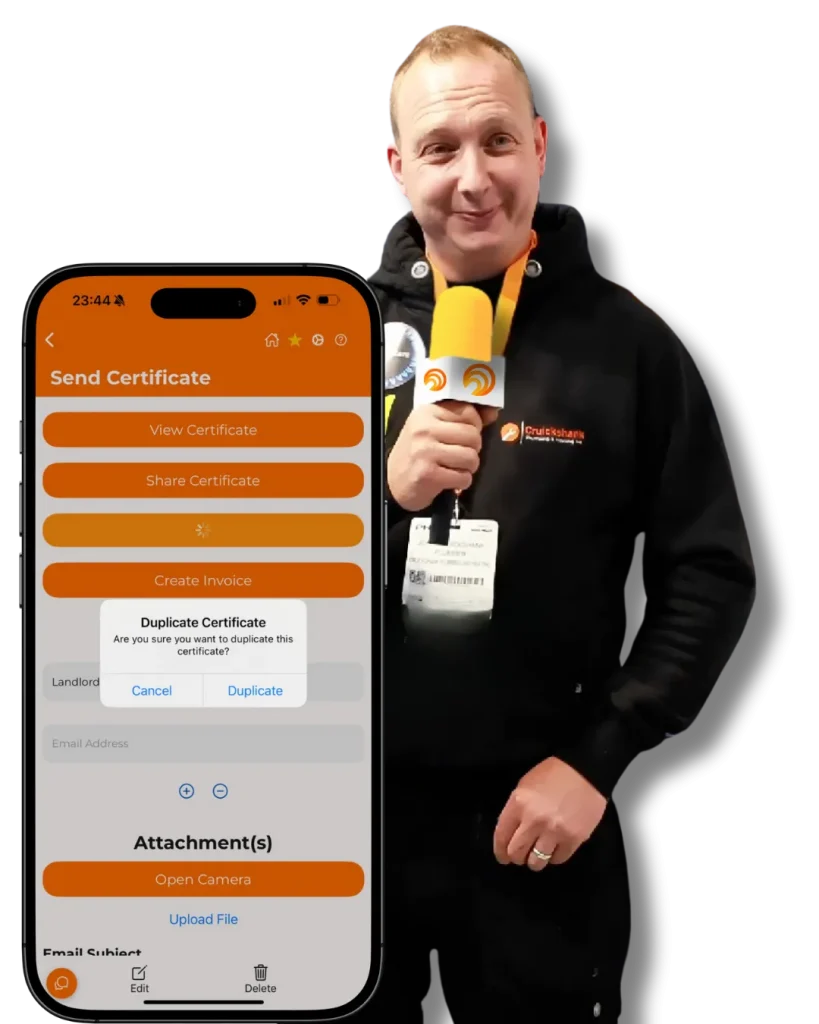
I’ve been using Gas Certificate App for 3 years now, and it’s incredibly user-friendly. It saves me time with automatic invoicing and duplicating certificates for annual work. I always recommend it, it’s the most user-friendly app out there!
John Cruickshank - National Heating Installer Winner 2022
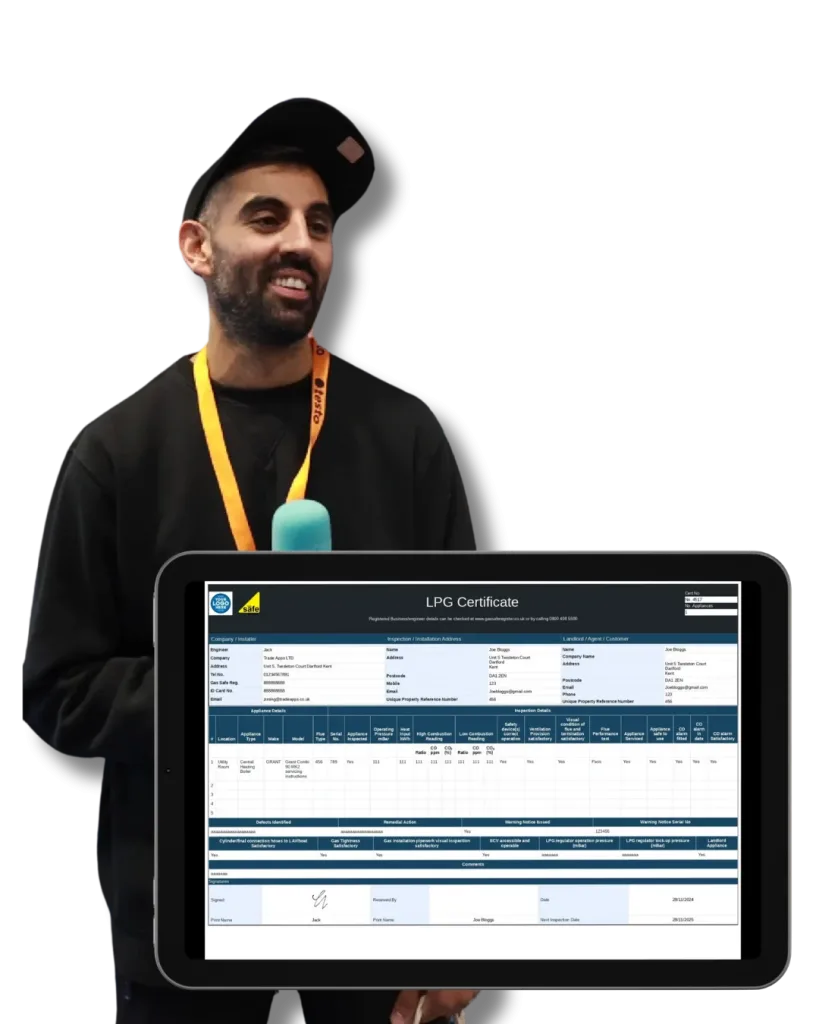
I’ve been using Gas Certificate App for nearly a year now, and it’s fantastic. It’s quick, efficient, and incredibly easy to use, filling out gas certificates on my iPad has never been so straightforward. The app saves me time and hassle, and it’s affordable too. I wouldn’t recommend anything else!
Petros Gas and Flow
The #1 All-In-One Tool for Gas Engineers
Join our ever-growing community of over 10,000 companies and experience the time-saving benefits of Gas Certificate App. This revolutionary product empowers you to reclaim precious hours each week by offering an all-in-one solution for creating Gas Certificates, efficiently managing engineer schedules, and generating invoices and quotes effortlessly. Say goodbye to manual processes and embrace efficiency with Gas Certificate App.
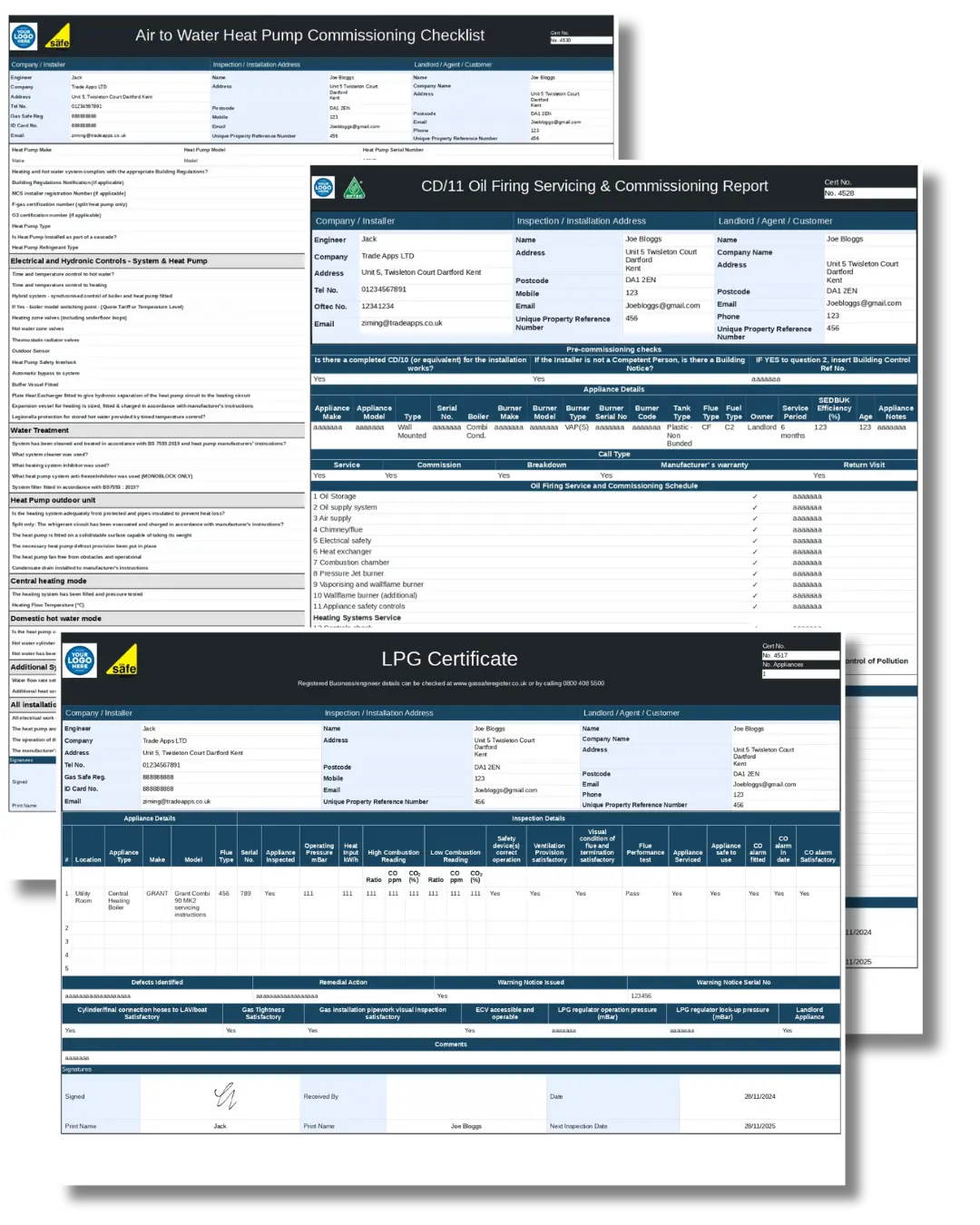
A Full Range of Certificates for Any Job Type
Gas Certificate App have a wide range of professional certificates from:
- Wide Range of Domestic Certificates
- Wide Range of Non-Domestic Certificates
- Wide Range of Domestic Oil Certificates
- Powerflush Certificate
- Job Sheets
- Installation / Commissioning / Decommissioning Records
Features Built for Gas Engineers
Calendar & Diary Management
Effortlessly manage your team’s schedule with our powerful Calendar / Diary management feature. Assign jobs, view appointments at a glance, and create job sheets with ease. Say hello to efficient scheduling and goodbye to missed opportunities. Boost productivity and take control of your business today!
Built-In Industry Invoice & Estimate System
Take charge of your finances with our cutting-edge invoicing and quoting tool. Create professional invoices and quotes with ease, impressing your clients with polished documents. Keep track of un-invoiced and outstanding invoices, ensuring no payments slip through the cracks. Stay organized, get paid faster, and elevate your business to new heights!
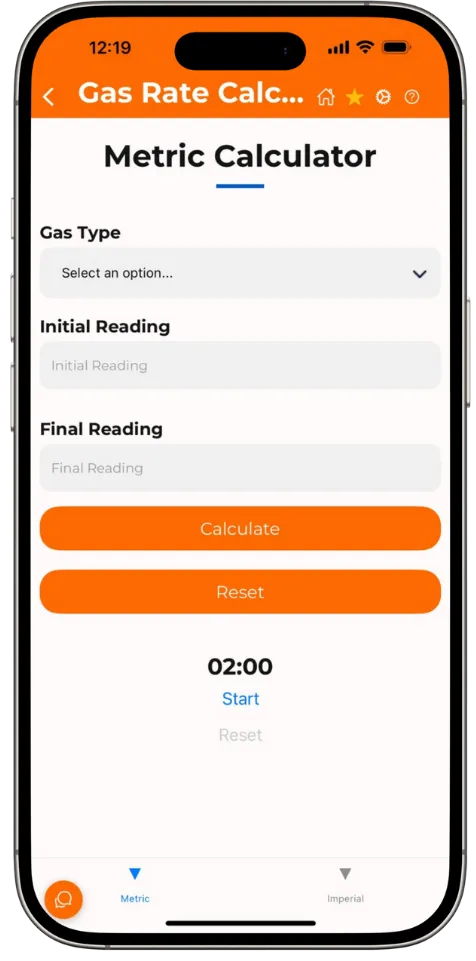
Gas Rate Calculator
Unlock hassle-free gas rate calculations with our user-friendly app! Whether you work with imperial or metric units, our platform makes it a breeze to calculate gas rates effortlessly. Save time and effort as you perform accurate calculations right within the app.
Instantly View Related Certificates, Invoices, and Quotes by Address
Experience seamless data access with our intuitive system! When you view a specific address, our platform automatically fetches all the related Certificates, Invoices, Quotes and uploaded documents, eliminating the hassle of searching through multiple records. Moreover, you have the flexibility to upload your own attachments effortlessly. Stay organised, save time, and streamline your workflow with our smart and efficient features!
Over 5000 Boiler Manuals
With over 5000 boiler manuals seamlessly integrated into the system, you can effortlessly search for the manual you need, all in one place. Say goodbye to time-consuming internet searches. Now, accessing the right boiler manual is quick and simple, empowering you to focus on what matters most – getting the job done efficiently.
Automatically Sync with QuickBooks & Xero
Save time and ensure accurate financial records with Gas Certificate App’s seamless integration with QuickBooks and Xero. Automatically sync your invoices and customer data, eliminating manual data entry and boosting your efficiency. Take control of your business finances today!
Device Integrations
TPI DC710 & DC711 Flue Gas Analysers
Connect effortlessly with TPI devices to capture accurate measurements and simplify your analysis.
TPI Manometer
Integrate pressure readings directly into the app for faster, error-free data handling.
Testo 300 Flue Gas Analyser
Work smarter with integrated Testo compatibility, enabling easy flue gas analysis and reporting.
Offline Mode
From remote locations to areas with poor signal, Gas Certificate App’s offline mode ensures you can always get the job done. Complete certificates, access customer information, and manage your schedule offline, then seamlessly sync your data when you’re back online. This means less downtime and more completed jobs.

Gas Certificate App
Frequently Asked
Questions
How much does Gas Certificate App cost?
We offer flexible pricing plans for individual engineers and teams. You can view our pricing page for detailed information and start a free 14-day trial, no credit card required.
What types of certificates can I create with Gas Certificate App?
You can create a wide range of industry-standard certificates, including Gas Safety Records (CP12s), Landlord Gas Safety Records (LGSRs), Oil certificates, Powerflush certificates, Heat Pump checklists, and more.
Does Gas Certificate App work offline?
Yes! Our offline mode allows you to complete certificates and manage data even without an internet connection. Your work will automatically sync when you’re back online.
Does Gas Certificate App integrate with QuickBooks or Xero?
Yes, we offer seamless integration with QuickBooks and data export to Xero, making financial management a breeze.
Is there a free trial available?
Absolutely! You can start a free 14-day trial of Gas Certificate App today and experience the benefits for yourself. No credit card is required to get started. Click Here to Sign Up!
All in One Tool for Gas Engineers